For a stretch of my career, I worked at a company with a lot of micromanagement. Status meetings, review meetings, and “quick syncs” that never turned out to be quick. Every single week, the same thing happened: I’d sit down to recap my progress and my mind would go blank.
What did I actually do on Tuesday? Which ticket ate my whole afternoon? Did that investigation lead anywhere, or did I abandon it?
I had done the work — I just hadn’t kept a trace of it. By the time anyone asked, the details had evaporated.
I tried the usual fixes: a notes app here, a time tracker there, a to-do list somewhere else, and Jira permanently open in a browser tab. The problem was never a lack of tools — it was that my record of my day was scattered across five different apps, and none of them talked to each other. I was still showing up to review meetings trying to reconstruct my week from Git history and raw memory.
OWL is the tool I wish I’d had back then: one place that quietly tracks everything I work on — notes, tasks, time, meetings, and documents — with a local AI assistant that understands my context. And because this data consists of my private work notes, there was one non-negotiable requirement: it all has to stay completely offline, on my own machine.
Here is the long version of why I built it, what it does, and the local engineering challenges that turned out to be much harder than I expected.
The itch: a record of my day that I don’t have to maintain.
The core idea is boring on purpose. I want to open one app, jot down what I’m doing, start a timer, link it to a Jira ticket, and move on. Then, when the review meeting arrives, I want to ask, “What did I work on this week?” and get a real, data-driven answer instead of a blank stare.
To make that happen, OWL consolidates the core daily utilities that usually live scattered across different apps:
Notes: A structured tree of plain Markdown files. You get rich-text editing when you want it, and raw Markdown when you don’t.
Tasks & Projects: Built with subtasks, due dates, a “blocked” flag (complete with a reason, so future-you remembers why), and automatic archiving when a task is completed.
Time Tracking: Granular, per-task timers that record your active development hours day by day.
My Day Dashboard: A daily report that shows exactly where your hours went across tasks (grouped by project) and meetings using clean, proportional visual bars. This is the exact panel to open right before a status meeting.
Jira Integration: Because in a micromanaged environment, worklogs and ticket updates are the ultimate currency. OWL links tasks to issues and can seamlessly push worklogs and comments directly to Jira.
None of this is revolutionary. The goal was never novelty — it was consolidation. It is one app, one keystroke away, that captures your day as it happens so you never have to reconstruct it from memory.
How the “ask my notes” part actually works
For the developers reading this, here’s the interesting bit. “Ask a local model about my notes” sounds simple and absolutely is not, because small local models have small context windows — you can’t just stuff 300 notes into a prompt. You need retrieval: find the handful of passages that actually matter, then ask the model to answer using only those.
OWL does this with a hybrid retrieval pipeline, all on-device:
-
Chunking — notes are split into ~800–1200 character chunks on paragraph and heading boundaries, so a match returns a coherent passage rather than a truncated note.
-
Keyword search — SQLite’s FTS5 (BM25) over the chunks. Great for exact terms, names, error strings.
-
Semantic search — the chunks are embedded into vectors (via a local embedding model) and stored with
sqlite-vec; a nearest-neighbour search catches the “I meant the same thing in different words” cases. -
Fusion — the two ranked lists are merged with Reciprocal Rank Fusion, so a result that both methods like floats to the top.
-
Grounded answer — only the top passages go into the prompt, the model answers, and only the notes it actually cited become clickable sources.
The model itself is either a bundled llama.cpp server that OWL ships and manages, or your own Ollama install if you’d rather bring your own. Embeddings run as a second, dedicated model that only spins up when there’s indexing to do and shuts down afterward to keep idle memory low.
And the privacy invariant runs all the way down: encrypted notes are never indexed or fed to the model in plaintext. If you lock a note, it’s excluded from search and from the AI entirely. The vault itself sits behind a master passphrase (Argon2id-derived key, AES-256-GCM for note bodies), and individual notes can have their own password on top.
The whole thing is a Tauri v2 app — a Rust backend with a Vue 3 (TypeScript) frontend. Markdown files are the source of truth on disk; SQLite is “just” an index over them plus the store for structured data. That split matters to me: even if OWL vanished tomorrow, my notes are still plain .md files I can open in anything.
The engineering that fought back
Two things were much harder than the feature list suggests. I’m including them because this is the stuff blog posts usually skip, and it’s the stuff I’d have wanted to read.
1. Making a local model behave like a product
Running a model locally is easy in a demo and annoying in a product. The sidecar process has to start on demand, survive the user mashing buttons, not leak RAM when idle, and shut down cleanly when the app quits. There are two separate llama.cpp servers (chat on one port, embeddings on another) with their own lifecycles. Getting “quit the app and actually stop the AI” right — with a bounded, graceful shutdown so a wedged model can’t hang the quit — took more care than the retrieval pipeline did.
2. A macOS bug that only happened in development
This one still makes me laugh. Rebuilding the semantic index worked perfectly in the packaged .dmg… and failed every time in local development with a useless “embedding server didn’t become ready in time.” Same code. Same binary. Same model.
The trail: the embedding sidecar was being spawned, then dying within milliseconds, writing nothing to its log. The culprit turned out to be macOS code signing. The bundled llama.cpp binary is ad-hoc signed; when the app (itself ad-hoc signed, as dev builds are) spawned it, the kernel’s library-validation rejected the child’s signature and SIGKILLed it at launch — kernel: load code signature error. The packaged build worked because release bundling re-signs everything consistently with the right entitlements. The fix was to re-sign the bundled binaries so the kernel accepts them when spawned, in both dev and release.
I lost a good afternoon to that. But it’s exactly the kind of “works in prod, dies in dev, no error message” gremlin that makes shipping a local-first desktop app its own genre of fun.
Where it is now
OWL is a real, working macOS app today. It has the notes/tasks/time/meetings/documents core, the local AI with cited Notes and Documents Q&A, Jira integration, encryption, themes, reminders, a system tray, and self-updates — all offline, all on-device.
It’s honest about its edges: it’s distributed for macOS right now (buildable elsewhere from source), and because I haven’t paid for an Apple Developer certificate yet, the first launch needs a one-line xattr command to get past Gatekeeper. Small price for an app that never asks you to log in.
If you’ve ever walked into a status meeting and blanked on your own week — or you just don’t want your private notes living on someone else’s servers — OWL might be for you. It’s the tool I needed years ago, finally built the way I always wanted it: yours, local, and private.
Try it
OWL is free and open. Grab the latest macOS build from the releases page:
→ github.com/nageshkr/owl/releases
- Download the latest
OWL_x.y.z_<arch>.dmgand drag OWL into your Applications folder. - Because the app isn’t code-signed with an Apple Developer certificate yet, macOS will quarantine it and may say “OWL is damaged.” It isn’t — it’s just unsigned. Clear the quarantine flag once:
xattr -dr com.apple.quarantine /Applications/OWL.app- Launch OWL, set a master passphrase for your vault, and pick an AI model in Settings → Local AI (or point it at your own Ollama). That’s it — no account, no sign-in.
OWL is built with Tauri v2, Rust, Vue 3, SQLite (FTS5 + sqlite-vec), and llama.cpp/Ollama. Notes are plain Markdown; your data never leaves your machine.
A Look Inside the App
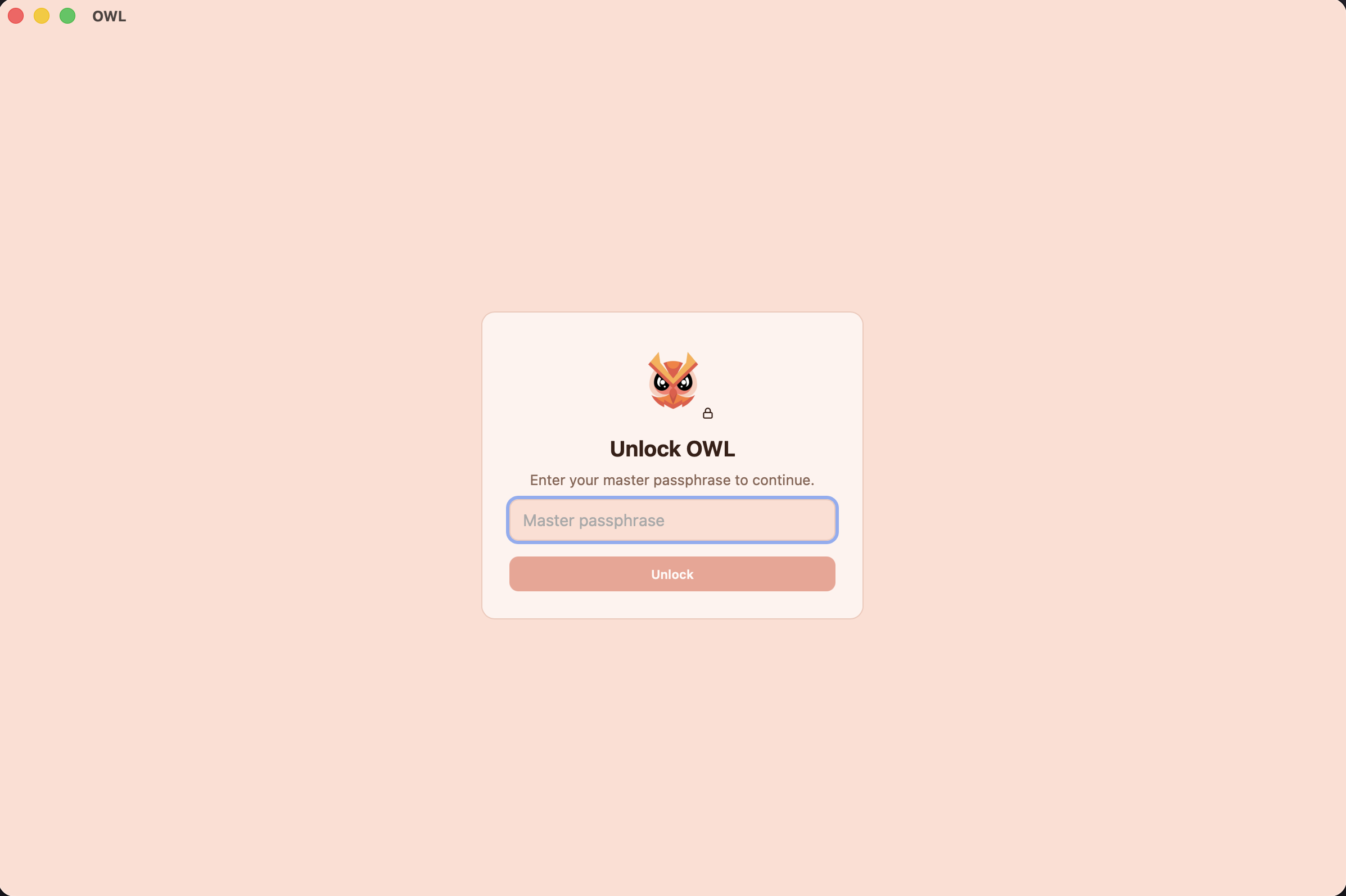
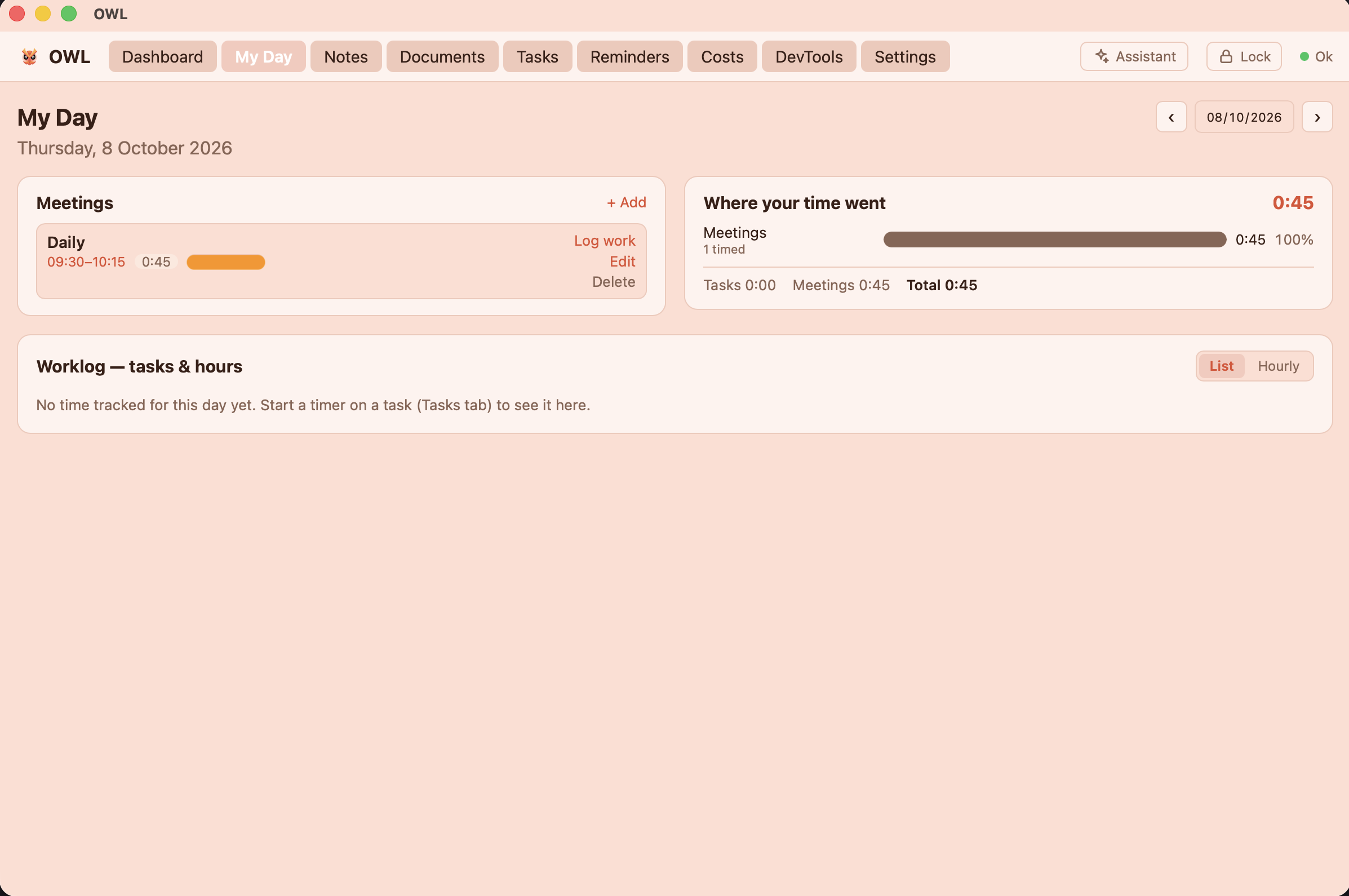
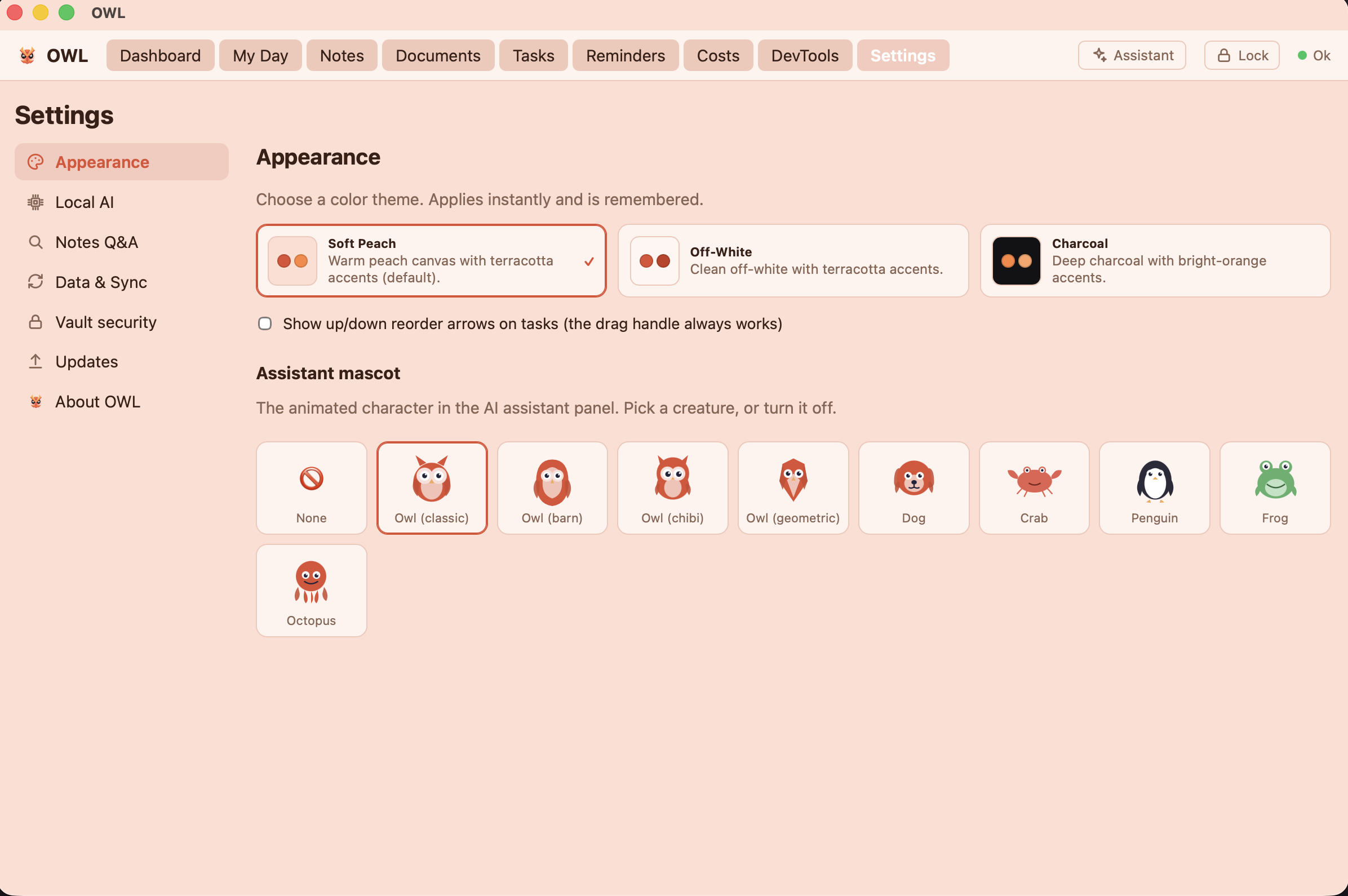
A closer look at the final result.
An update: sharper search, and an off switch for the AI - 9 Oct 2026
After living with OWL for a while, two things nagged at me enough to build them.
Reranking: a second opinion on what’s relevant
Hybrid retrieval (keyword + semantic + fusion) is good, but it’s not perfect. Sometimes the passage that technically matches your words isn’t the one that actually answers your question. The fix is a technique called reranking: after the first pass pulls a shortlist of candidates, a second, more careful model re-scores each candidate against the question and reorders them, so the genuinely-relevant passage lands on top before the model ever sees it.
OWL now does this with a small cross-encoder model running — of course — entirely on your machine, as a third local server alongside chat and embeddings. The nice part is that reranking reads the question and each passage together (that’s what makes it more accurate than embedding similarity alone), and it only needs a single batched pass over the shortlist.
I made it opt-in and kept it honest about the trade-offs:
- It’s off by default, with its own toggle in the new Settings → Search tab.
- The reranker model (~600MB) is downloaded on demand, not shipped in the installer — so people who never turn it on don’t pay for it in download size.
- It loads only while answering a question and is released right after, so it doesn’t sit on your RAM the rest of the time (the first question after an idle spell warms up for a couple of extra seconds; follow-ups are quick).
- If the model isn’t there, or you’re pointing OWL at Ollama/an external server that has no reranking endpoint, it silently falls back to the normal fused order. Reranking failing should never mean your question fails.
You can also tune how many candidates get reranked, but the default (max(top-K × 4, 30)) is tuned to be a sensible choice you never have to think about.
A master switch for the AI
The other change is almost philosophical. OWL’s whole pitch is that the AI is local and optional — so it felt wrong that you couldn’t actually turn it off. Now you can: a single Enable AI features switch in Settings → AI.
Flip it off and the assistant panel, its toolbar button, the ⌘/ shortcut, and the Q&A features all disappear. OWL becomes a lean, fast notes-tasks-and-search app with no model loaded at all. And this isn’t just hiding buttons — it’s enforced in the backend, so with AI off the chat model is never started, and any chat server already running gets stopped.
The deliberate detail: search still works. Keyword and semantic search aren’t “the AI” — they’re how you find your own notes — so they keep running regardless, with their own independent switches. You can have a capable local search engine without ever loading a language model. That split is the whole point: the AI is there when you want it, and genuinely gone when you don’t.